
Baby Nap Predictions: How Sleepy Time Works
Sleepy Time is the nap and bedtime estimate in Vivi Baby. It starts from the usual wake window for your baby’s age and moves toward your baby’s own pattern after about five days of logged sleep. It is an estimate from rules on your device, not a schedule and not AI. It is part of Vivi Plus ($4.99 per month or $44.99 per year, with a 14-day free trial); see Vivi Plus pricing.
What Sleepy Time shows
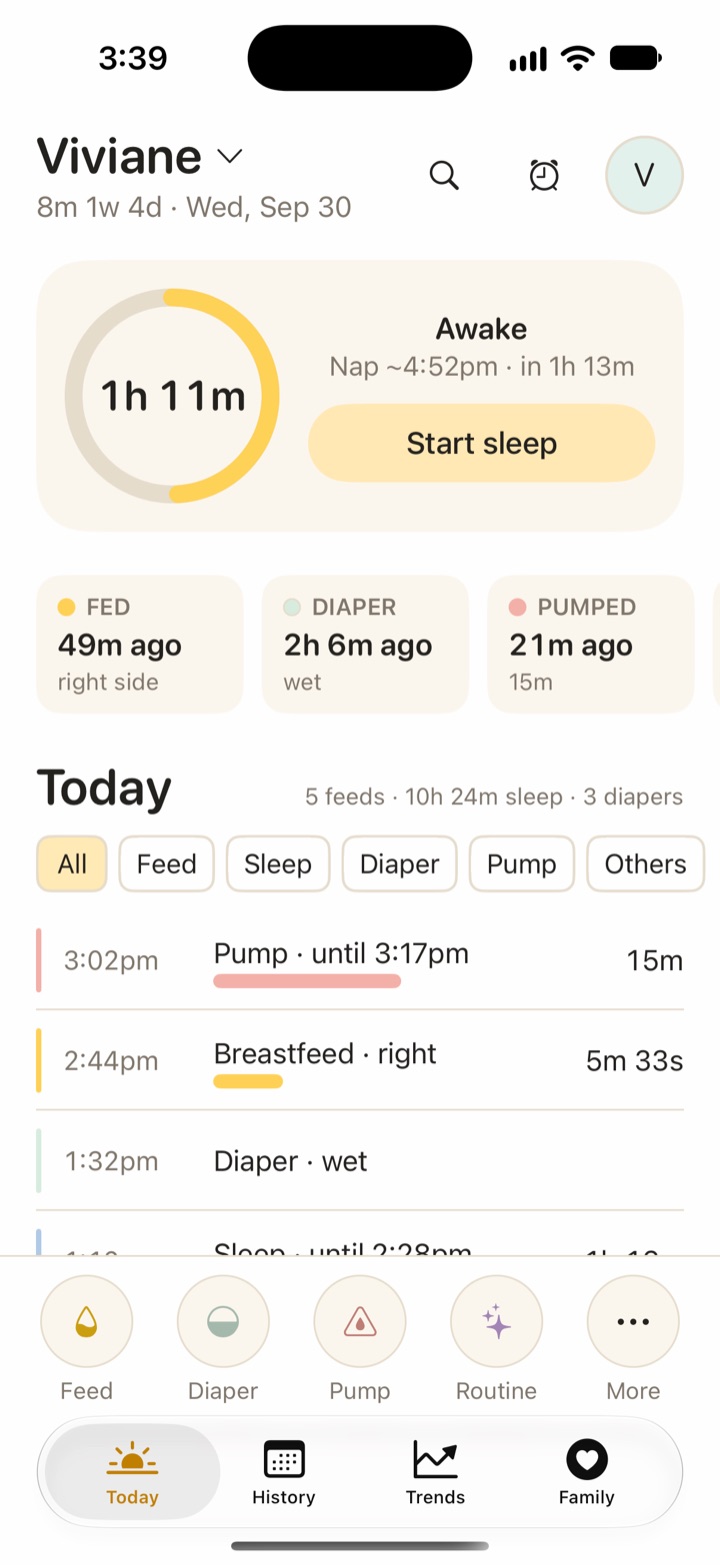
The time is when your baby is likely to be ready to be asleep, not when to start winding down.
The estimate appears on the Today screen while your baby is awake, and in a widget, on Apple Watch and on the Lock Screen. It is a nap, an extra nap (no naps left, bedtime still far away) or bedtime.
How Sleepy Time works, step by step
Sleepy Time follows these steps each time your baby wakes.
- Find the last wake-up. Sleepy Time reads your finished sleeps. A running sleep timer means no estimate until your baby wakes. Very short and impossibly long entries are ignored.
- Read the age. It takes your baby’s age on the day of the wake-up. It uses the adjusted age if you turned that on (see corrected age below).
- Pick the nap count. With the default “Auto” setting, Vivi Baby uses the median number of daytime naps over the last 7 full days, if at least 3 of those days have sleep logged. If not, it uses the usual nap count for the age.
- Look up the wake window. A table gives a minimum, usual and maximum wake window for each age, nap count and position in the day (morning wake to nap 1, nap 1 to nap 2, and so on).
- Move toward your baby’s pattern. After about five days of data for that position, the window shifts toward what your baby actually does.
- Adjust for a short previous nap. If the last daytime nap was under 30 minutes, the window is 20 percent shorter.
- Keep it in bounds. The result stays between the minimum and maximum for that age.
- Apply your changes. Your adjustment or a manual wake window overrides the automatic value.
- Add it to the wake-up time. That is the estimate.
The age-based start
For nap counts and sample days by age, read the nap schedule guide.
The starting values cover ages from about 2 to 24 months. Every window value comes from sleep-consultant and baby-app guidance, mainly Huckleberry’s published sample schedules, checked against Taking Cara Babies ranges. No medical body publishes wake windows. So these numbers are common practice, not clinical fact.
Vivi Baby checked its schedules against the daily sleep totals of the American Academy of Sleep Medicine (AASM). Its consensus statement says infants 4 to 12 months should sleep 12 to 16 hours in 24 hours, naps included, and children 1 to 2 years should sleep 11 to 14 hours (Paruthi et al., 2016). Those are sleep totals, not wake windows. Sleepy Time does not claim clinical validation. For the full hours-by-age picture, including why newborns have no AASM number, read how much sleep a baby needs.
Sleepy Time starts at about 2 months (61 days), because newborn sleep is too irregular before that.
The shift toward your baby’s own pattern
Sleepy Time looks back 14 days. For each finished wake window, it compares the real gap with the usual value for that age and position. It skips some windows:
- windows after a nap under 30 minutes, because those follow a different rule
- night wakings that lead back into night sleep
- gaps far above the age maximum, which are probably a nap you did not log
It needs at least five different days with a match. It then takes the median difference and applies only part of it. The weight is days divided by (days plus 5): half with 5 days, two thirds with 10. One odd day does not move the estimate much.
After a time-zone change in the last three days, Sleepy Time lowers its confidence.
Short naps, bounds and night
A nap under 30 minutes gets a shorter next window because it probably did not cover a full sleep cycle. The 30 minutes, the 20 percent cut and the bounds are tuning values, not medical figures. If your baby’s pattern would pass the age maximum, the maximum wins.
If your baby wakes in the middle of the night, Sleepy Time shows no nap estimate. Your baby should go back to sleep. The next estimate comes after the morning wake-up.
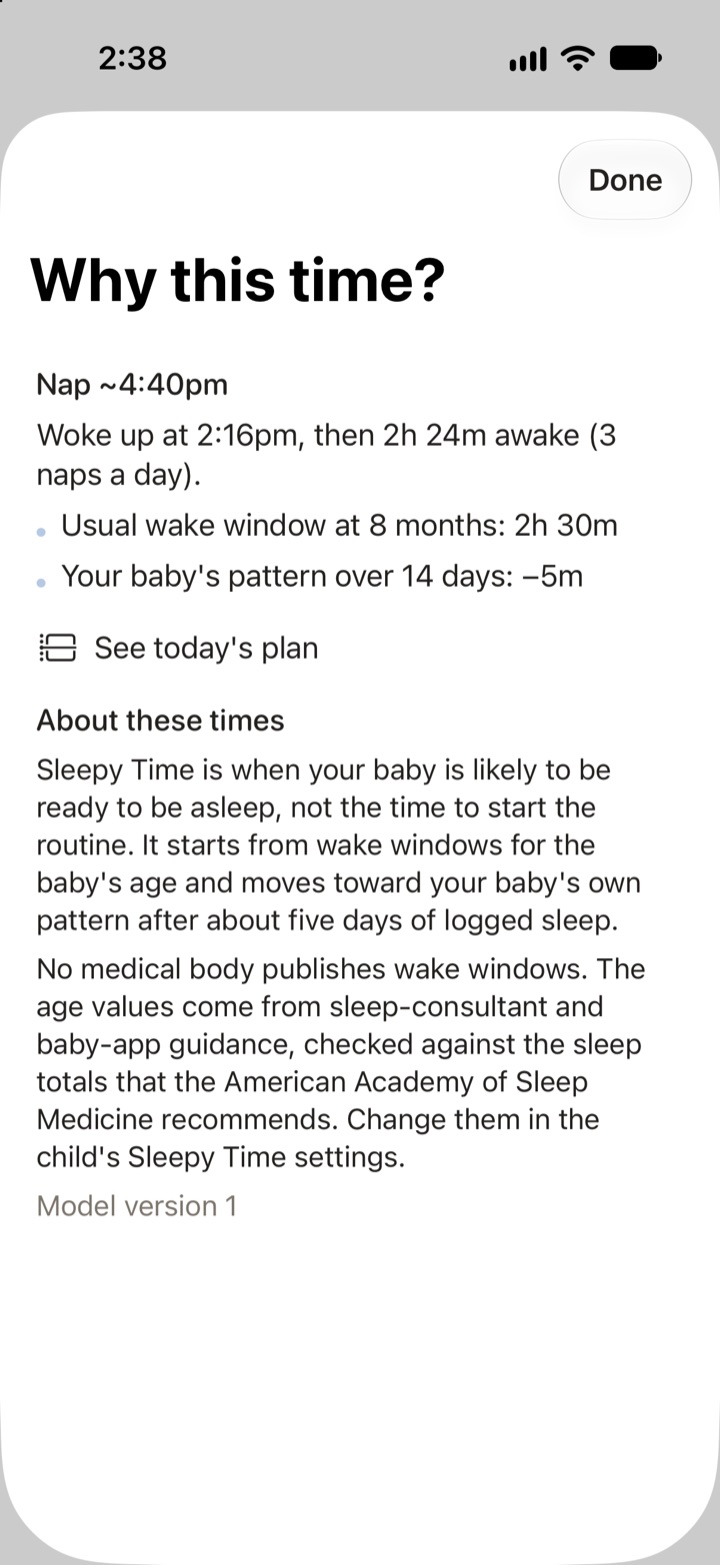
Why this time?
Tap “Why this time?” on an estimate to see its reasons:
- the wake-up time and the length of the window
- the usual window for the age
- your baby’s pattern over a number of days, in minutes
- any short-nap change, move back into the age range, or adjustment of your own
The screen also shows the model version and says that no medical body publishes wake windows.
Today’s plan and reminders
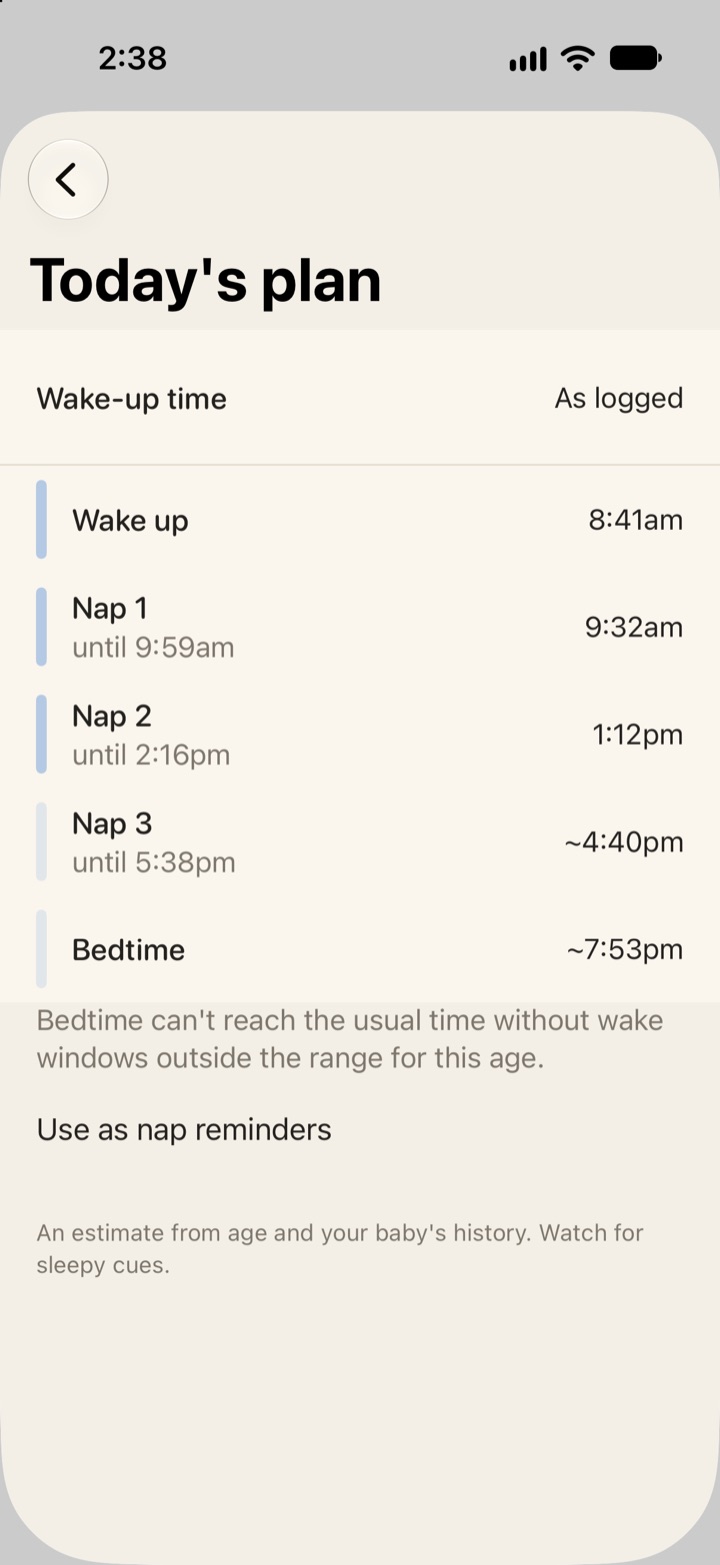
Today’s plan shows the day as a timeline. Logged naps appear as logged. The next nap is the Sleepy Time estimate, and later naps and bedtime use the same wake windows. The plan stretches the later windows so bedtime lands near the start of your night hours. If it cannot get there within the age limits, it says so.
You can plan a “what if” day from a different wake-up time. During a nap transition, such as 2 to 3 naps, it shows one plan per count.
“Use as nap reminders” turns the planned nap times into a reminder. A nap reminder can also follow Sleepy Time itself, at the estimated time or some minutes before it. Those need Vivi Plus on that device. A set bedtime reminder still rings without it.
The Lock Screen next-nap countdown
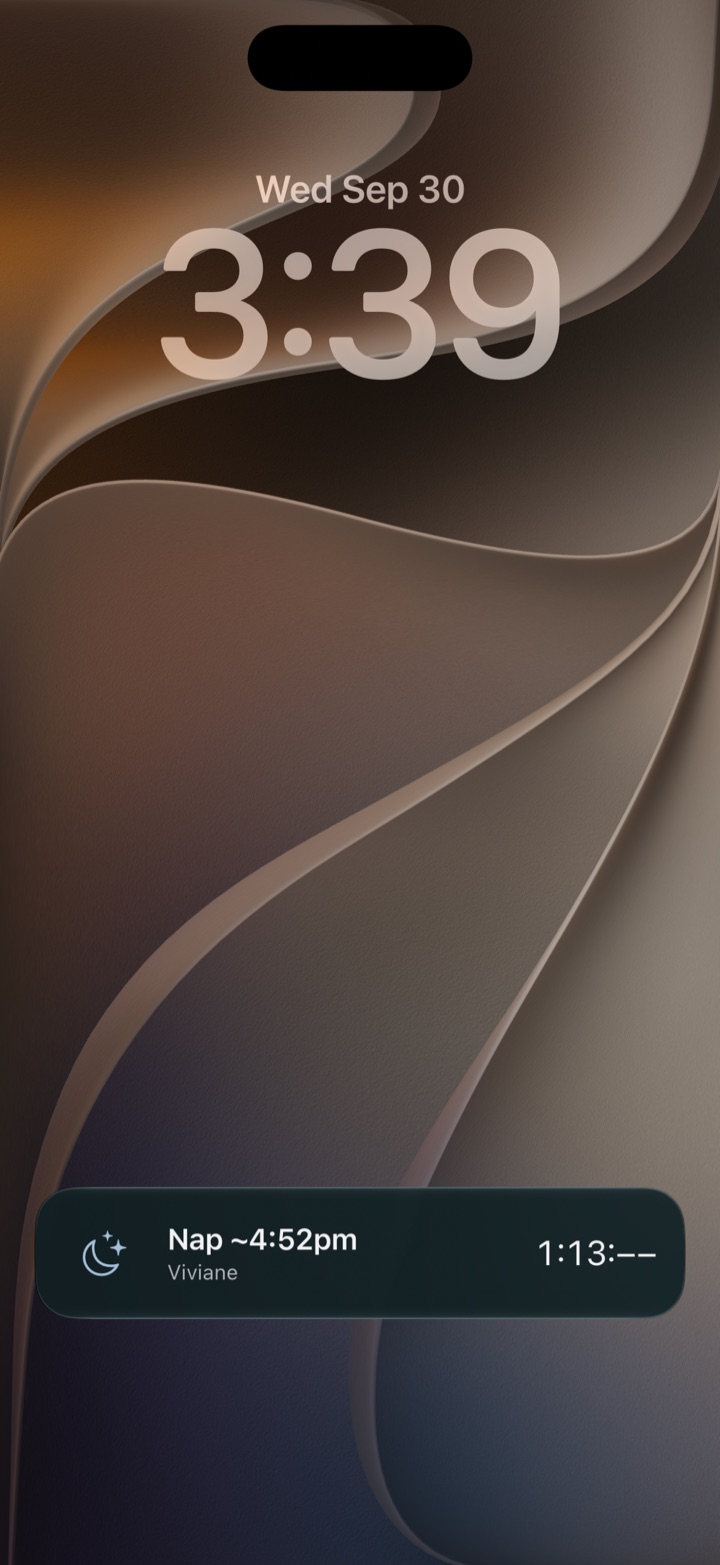
While your baby is awake, “Next nap on Lock Screen” shows a live countdown on the Lock Screen and in the Dynamic Island: “Next nap in”, “Extra nap in” or “Bedtime in”. After the estimated time it says “Past sleepy time” and ends 90 minutes later. You turn it on for each child in the child’s settings, and it needs Vivi Plus. It starts when your baby wakes. If you stop the sleep with Siri, a Shortcuts action, the Home Screen Sleep timer widget or the Stop button on the sleep Live Activity, the countdown starts without opening the app. A stop from the Apple Watch cannot start it, because iOS does not let an app start a Live Activity from the background. In that case it starts the next time you open Vivi Baby. Starting a sleep, from the Watch or the iPhone, ends the countdown. For sleep timers on the wrist, see logging baby sleep with Apple Watch. For other places the estimate shows, see baby tracker widgets.
Corrected age for babies born early
If your baby was born early, turn on “Use Adjusted Age” in the child’s settings and set the adjusted birthdate. Sleepy Time then uses that date for the wake-window table, the nap count and the 2-month start. Your baby’s real birthdate stays as it is. Ask your baby’s clinician how long to use adjusted age.
Settings you can change
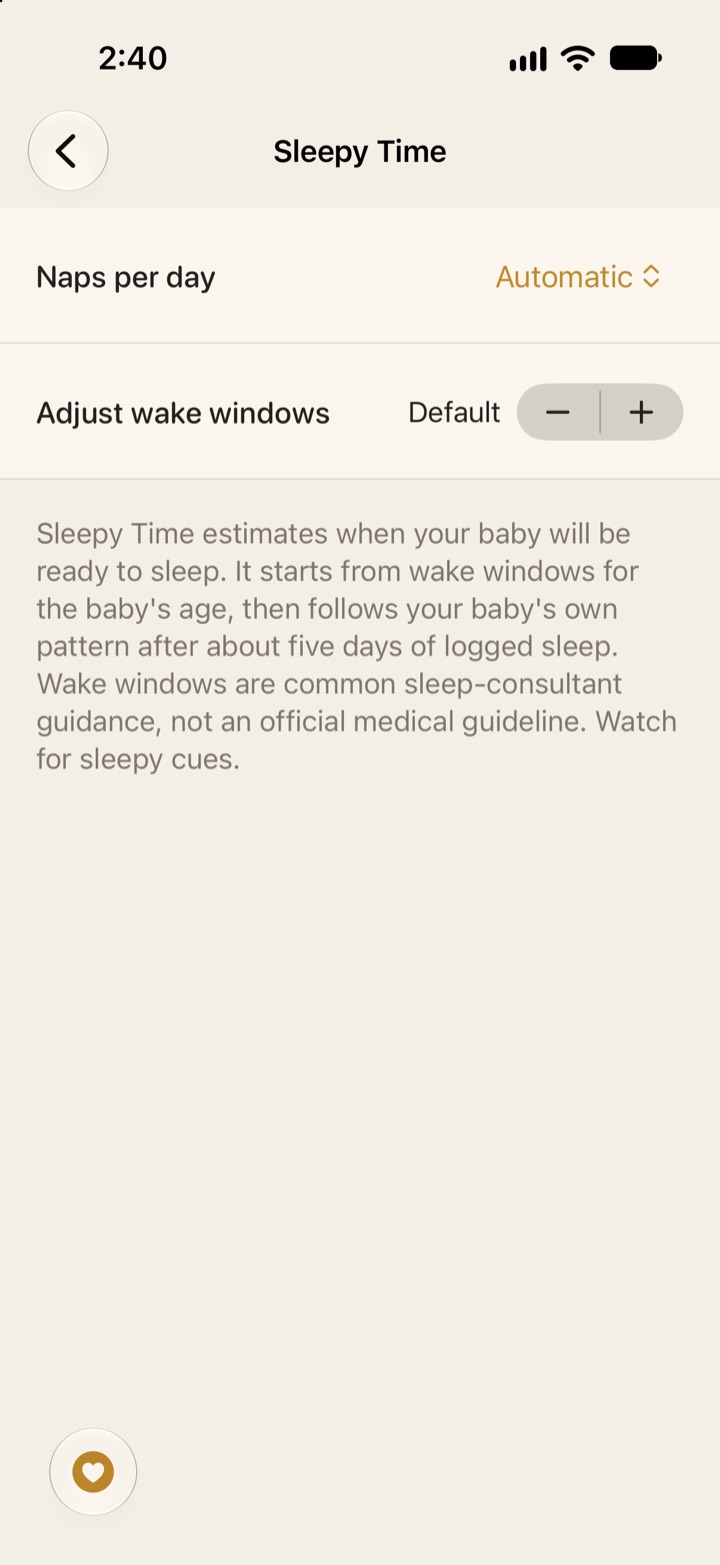
In the child’s Sleepy Time settings (a Plus screen) you can set:
- Naps per day: Auto, a fixed count from 1 to 5, or a transition such as 2-3, which shows both estimates.
- Adjust all windows: shorter or longer in steps of 15 minutes, up to 60 minutes either way. Your adjustment wins over the age limits.
- Exact wake windows: for each nap and for bedtime, when you use a fixed nap count.
The settings are saved in the child’s profile, so everyone you share with sees them.
What Sleepy Time needs
- One finished sleep in the last 24 hours.
- A baby at least about 2 months old.
- About five days of sleep logs to follow your baby. Before that, it uses the age table.
- Vivi Plus. Logging sleep is free. See what to track in the newborn weeks for what to log first.
Vivi Baby runs on iPhone with iOS 18 or later. Sleepy Time runs on the device, and your baby’s log is not uploaded to Vivi’s servers.
What Sleepy Time does not do
- It does not guarantee a nap, and it does not tell you when to put your baby down.
- It is not sleep training.
- It is not AI. It is fixed rules, shown in “Why this time?”.
- It does not diagnose a sleep problem or replace your baby’s clinician.
- It does not know about illness, teething or a busy day. A time-zone change only lowers its confidence.
How other apps predict naps
This section uses each app’s own pages, checked on 2026-09-30.
| App | What its own pages say | Cost noted on its pages |
|---|---|---|
| Huckleberry (SweetSpot) | Age-based wake windows plus your child’s sleep patterns, from 2 months | Plus or Premium plan |
| Nara Baby | Reminders that shift with the last wake-up, from a window you choose | Paid after a 7-day trial: $9.99 per month or $99.99 lifetime (Nara FAQ). View and export only without a plan |
| Talli | Sleep logging and reminders; no prediction on the listing | Premium $3.99 per month or $39.99 per year |
| Baby Tracker by Nighp | “What’s Next” timing cues for nap length, wake-up and wind-down | Plus: $5.99 per month or $49.99 per year, after a 3-day free preview |
Huckleberry says SweetSpot combines age-appropriate wake windows with your child’s own sleep patterns, using at least the last 5 days of logged sleep (Huckleberry). That is close to Sleepy Time. Its pricing page lists SweetSpot in Plus ($5.74 per month billed yearly, or $11.99 monthly) and Premium ($9.99 per month billed yearly, or $14.99 monthly), for children 2 months and older (Huckleberry pricing). Huckleberry also says to treat SweetSpot “like a weather prediction” (how to use SweetSpot). What Huckleberry does better: its pages describe Custom SweetSpot and a choice of nap counts such as 2-3. For more, see Vivi Baby vs Huckleberry and Huckleberry alternatives.
Nara’s FAQ describes nap reminders. In “Wake Windows” mode, each reminder shifts with when your child woke from the last nap (Nara FAQ). You pick the window yourself, and the FAQ describes no learned prediction. The Sleep card shows time until the next nap from your schedule. What Nara does better: its App Store listing shows iPhone, Mac, Apple Watch and Apple Vision Pro support (Nara on the App Store). Vivi Baby is iPhone and Apple Watch only.
Talli’s App Store listing describes sleep tracking and nap or bedtime reminders, and no nap prediction. In a 2023 reply to a review, the developer said it was working on wake windows (Talli listing). What Talli does better: it costs less, at $3.99 per month or $39.99 per year for Premium.
The Baby Tracker by Nighp listing describes “What’s Next”, which uses on-device AI to turn recent logs into timing cues: nap length, wake-up timing and a sleep wind-down window. The listing says your baby’s logs are not sent to the developer to make them (Baby Tracker listing). What Baby Tracker does better: it shows nap length and a wind-down window, which Sleepy Time does not.
How to use any nap estimate
- Treat it like a weather forecast, as Huckleberry also advises. Start watching your baby a little before the time.
- Look for your baby’s own sleepy cues. Cues beat the clock. If your baby is happy and alert, wait. If your baby is tired early, go early.
- Change the windows if the estimate is often off for a week.
- Talk to your baby’s clinician if you worry about how much your baby sleeps. The AASM totals are ranges, not targets.
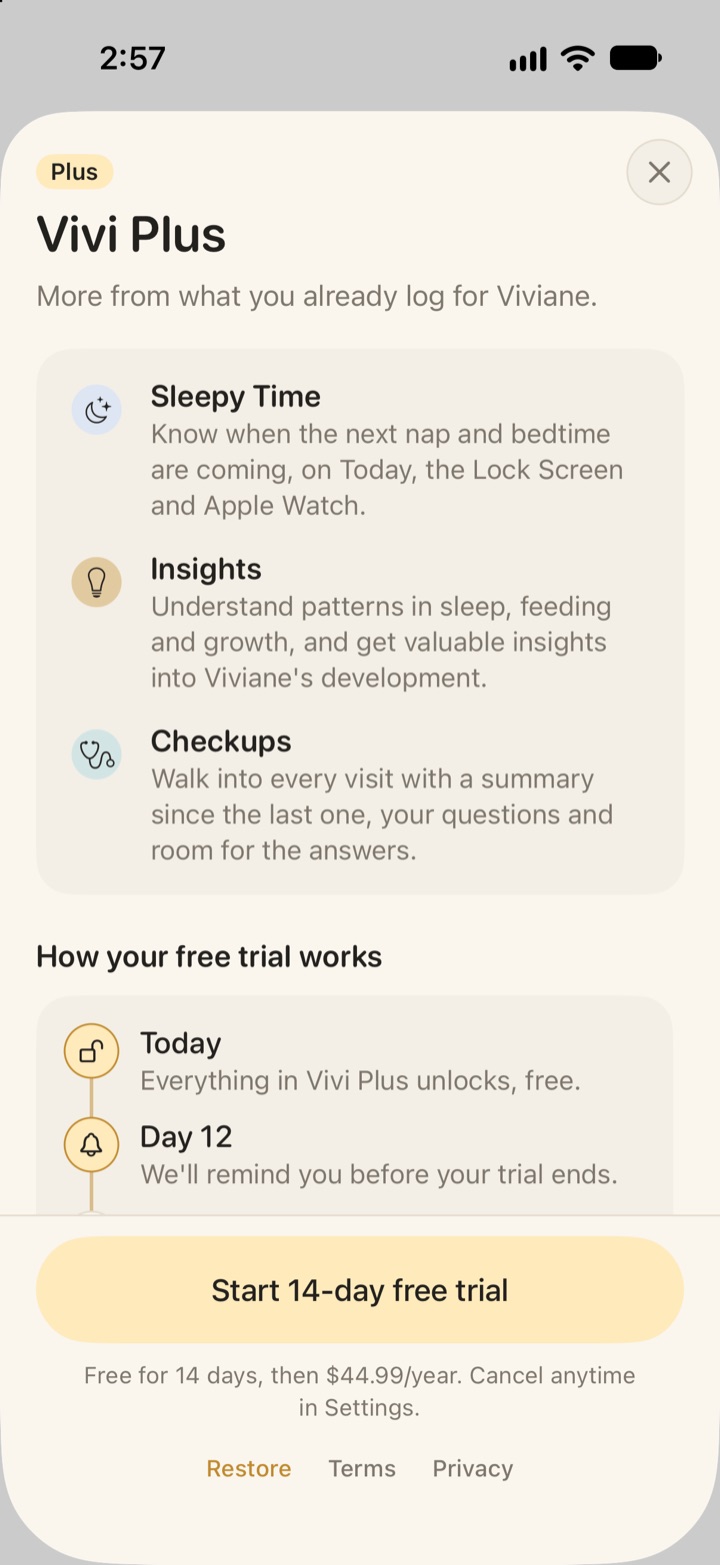
Get Vivi Baby to log sleep for free, and try Sleepy Time with a 14-day free trial when you open a Plus feature.
Frequently asked questions
How does Vivi Baby predict the next nap?
It adds the usual wake window for your baby's age to the time your baby last woke up. After about five days of logged sleep it moves that window toward your baby's own pattern from the last 14 days. It is a rule-based estimate that runs on your device, not AI.
How many days of sleep logs does Sleepy Time need?
One finished sleep in the last 24 hours is enough to show an estimate, and it starts from age-based values. It follows your baby's own pattern only after about five days with a matching nap or bedtime logged.
Does Sleepy Time work for a baby born early?
Yes. Turn on Use Adjusted Age in the child's settings and enter the adjusted birthdate. Sleepy Time then reads your baby's age from that date.
How old must a baby be for nap predictions in Vivi Baby?
Sleepy Time starts at about 2 months (61 days). Before that, newborn sleep is too irregular for an estimate.
Are baby wake windows medically proven?
No. No medical body publishes wake-window values, so the values in any app come from sleep-consultant guidance. Treat every nap time as a guide and watch your baby's sleepy cues.
Is Sleepy Time free?
No. Sleepy Time is part of Vivi Plus. Logging sleep, History and Trends stay free.
Sources
- Huckleberry: Our magical sleep predictor, SweetSpot, is now even better
- Huckleberry: How to use our magical sleep predictor, SweetSpot
- Huckleberry pricing
- Nara Baby FAQ
- Nara Baby on the App Store
- Talli Baby Tracker on the App Store
- Baby Tracker by Nighp on the App Store
- Paruthi et al. 2016, Recommended Amount of Sleep for Pediatric Populations (AASM consensus statement)