
How to Export Your Baby Tracker (Nighp) Data
To export your data from Baby Tracker - Newborn Log by Nighp, use its CSV export in Settings. Nighp’s FAQ lists it as a paid feature. It gives you a zip file of spreadsheets, usually named csv.zip, which you can open on a computer or import into another app such as Vivi Baby. Backups and Data Clone files are a different thing: they restore Baby Tracker on a device and are not CSVs.
Before you export
CSV export costs money
Nighp’s FAQ lists what the full version in-app purchase unlocks: statistics charts, backup, sync with several devices, Data Clone, CSV exporting, the daily report, and PDF export and printing. A second FAQ page on Nighp’s site gives a shorter list (Apple Watch features, Siri Shortcuts and no ads), so the two pages do not agree on every detail.
The US App Store listing, checked on 2026-10-07, sells three purchases: Remove Ads at $4.99, Plus Monthly at $5.99 and Plus Yearly at $49.99. It says core tracking stays free and that existing purchases keep working. It describes Plus as ad-free tracking plus What’s Next, its sleep, feed and diaper timing cues. It does not say which purchase includes CSV export. If you have never paid, look at the export option in the app before you buy, and ask Nighp through Settings > Email Support if the app does not make it clear.
You get many files, not one
The export holds one CSV per baby per type of entry, so a family with two children and several kinds of entries gets a whole folder of files.
Your data lives on your devices and in your cloud
Nighp’s FAQ says Baby Tracker never sends your data to its server. If you use backup or sync, the data goes to your own iCloud or Dropbox account. The CSV export is how you get a copy you can read yourself.
How to export your Baby Tracker data step by step
Nighp’s FAQ does not give these steps, so the menu name below comes from the app versions Vivi Baby was built against. If yours looks different, look through Settings for the CSV option.
- Open Baby Tracker and go to Settings.
- Tap Export Data to CSV.
- Save the file somewhere you can reach from your iPhone, such as the Files app.
- Check that the file arrived. It is usually named csv.zip. In the Files app, you can tap it once to unzip it and see the CSVs inside.
Do this before you cancel a purchase, delete the app or change phones. The export is a snapshot of that moment, so if you keep logging in Baby Tracker, export again later to get the newer entries.
What is in the csv.zip file
In the real exports Vivi Baby was tested with, each file is named after the baby and the type of entry, for example Emma_sleep.csv or Emma_diaper.csv. Common files are:
| File | What it holds |
|---|---|
_sleep | Start time, duration in minutes, note |
_nursing | Start time, starting side, left and right minutes, total, note |
_expressed and _formula | Bottle time and amount, with the unit in the header |
_pump | Pumping time, sides, durations and amounts. This file has no baby column |
_diaper | Time and status: wet, mixed, dirty or dry |
_medication | Medicine name, amount and unit |
_other_activity | Other activities you set up, with a duration |
_growth and _temperature | Length, weight and head size, or temperature |
You may also see files for bath, milestones, vaccines, solids, journal entries and other types, depending on what you logged.
Two details matter if you open these files yourself or import them somewhere else. Times are written in your phone’s region format with no time zone and no seconds, so “3/9/23” can mean March 9 or September 3. Pumping rows have no baby column.
Backups and Data Clone are not CSV exports
Baby Tracker has three other ways to copy your data. None of them gives you a spreadsheet.
| Option | Where in Baby Tracker | What it is for | What happens when you use it |
|---|---|---|---|
| Backup | Settings > Backup and Sync (an older FAQ page calls it Data Backup) | Copies to your iCloud or Dropbox, daily if you turn on Auto Backup Daily. The app keeps the last 7 days | Restoring replaces all current data on that device. You cannot restore while sync is on |
| Data Clone | Settings > Export Data Clone | Sends a snapshot.btcp file by AirDrop or email to another device. Nighp says you can email it to yourself as a backup | Opening it replaces all data on the receiving device |
| Sync | Settings > Backup and Sync > Synchronization | Keeps several devices on the same iCloud or Dropbox account in step | Data on a device that joins the sync group is overwritten |
These files are built for Baby Tracker to read back. They are useful if you stay with the app or move to a new phone. If you want to read your history in a spreadsheet, keep a record outside the app, or move to another app, you need the CSV export.
How to import Baby Tracker data into Vivi Baby
Vivi Baby reads the Baby Tracker CSV export directly. You need Vivi Baby 1.0.1 or later on an iPhone.
- In Vivi Baby, open the Family tab and tap the gear icon to open Preferences.
- In the Import section, tap Import from Baby Tracker. New users get the same choice during first-time setup.
- Pick the file. Vivi accepts the csv.zip itself, the folder Files makes when you unzip it, or a single CSV.
- If the export holds more than one baby, pick one. Each import brings in one baby, so import each child separately.
- Pick the time zone, because the file has none.
- Pick which caregiver the pumping sessions belong to, because pumping rows have no baby.
- Vivi works out whether dates are written day first or month first from the dates themselves. It asks you only when the dates can’t tell.
- Review the preview, then tap Import. Nothing is saved before this step.
What comes across
Vivi imports sleep, breastfeeding with sides, bottles of expressed milk or formula, pumping, diapers (wet, mixed, dirty and dry), medication, other activities as routines, growth and temperature.
Columns Vivi has no field for are kept in the entry’s note as the column name and its value, so details are not dropped. Vivi also keeps a copy of the imported files in your family folder under imports/nighp.
What gets flagged for checking
Bath, milestones, vaccines, solids and journal-type entries come across too, but Vivi flags them in History so you can check them. Their layout is less certain than the main types, so give them a quick look after the import.
Vivi reads only the CSV export. It does not read Baby Tracker backups (.btbk) or Data Clone files (snapshot.btcp).
Duplicates and repeat imports
Importing the same file again does not create copies. If you keep using Baby Tracker for a while, you can import a newer export later and only the new entries are added.
If you have already logged some days in both apps, Vivi looks for likely duplicates and skips them by default. The preview lists them, and you can change that choice before you import.
If you are staying with Baby Tracker
A CSV copy is worth keeping even if you like the app and plan to stay.
- Keep a copy outside the app, in your own files or email, in case a phone is lost or a restore goes wrong.
- Open the CSVs in Numbers or Excel to answer a question the app’s charts don’t, such as total feeds in a month.
- Bring numbers to a checkup. The checkup preparation guide lists what a pediatrician usually asks about.
Baby Tracker does a lot well. It runs on iPhone, iPad and Android, it lists Apple Watch, widgets and Live Activities, and one Plus subscription covers everyone in its sync group. Vivi Baby vs Baby Tracker goes through the differences point by point.
What Vivi Baby is
Vivi Baby is a newborn and parents companion app for iPhone (iOS 18 or later) and Apple Watch (watchOS 26 or later). It has no Android or iPad app, which matters if anyone in your family uses Android.
There is no account. Your log is saved as plain files in your family’s own iCloud Drive, much like notes in Obsidian, and it is not uploaded to Vivi’s servers. One exception: a small relay run by Vivi carries anonymous timer state (and encrypted Live Activity tokens) so a running timer shows on other devices. How Vivi keeps your baby’s data private explains the details.
Logging, History, Trends, sharing with caregivers, Apple Watch, widgets, and import and export are free. Vivi Plus adds three features for $4.99 per month or $44.99 per year, with a 14-day free trial:
- Checkups gathers growth, medical notes, recent stats and your questions before a pediatrician visit.
- Sleepy Time gives an estimate of the next nap and bedtime.
- Insights spots patterns in what you log and compares them with WHO, CDC and AAP guidance, with a link to each source.
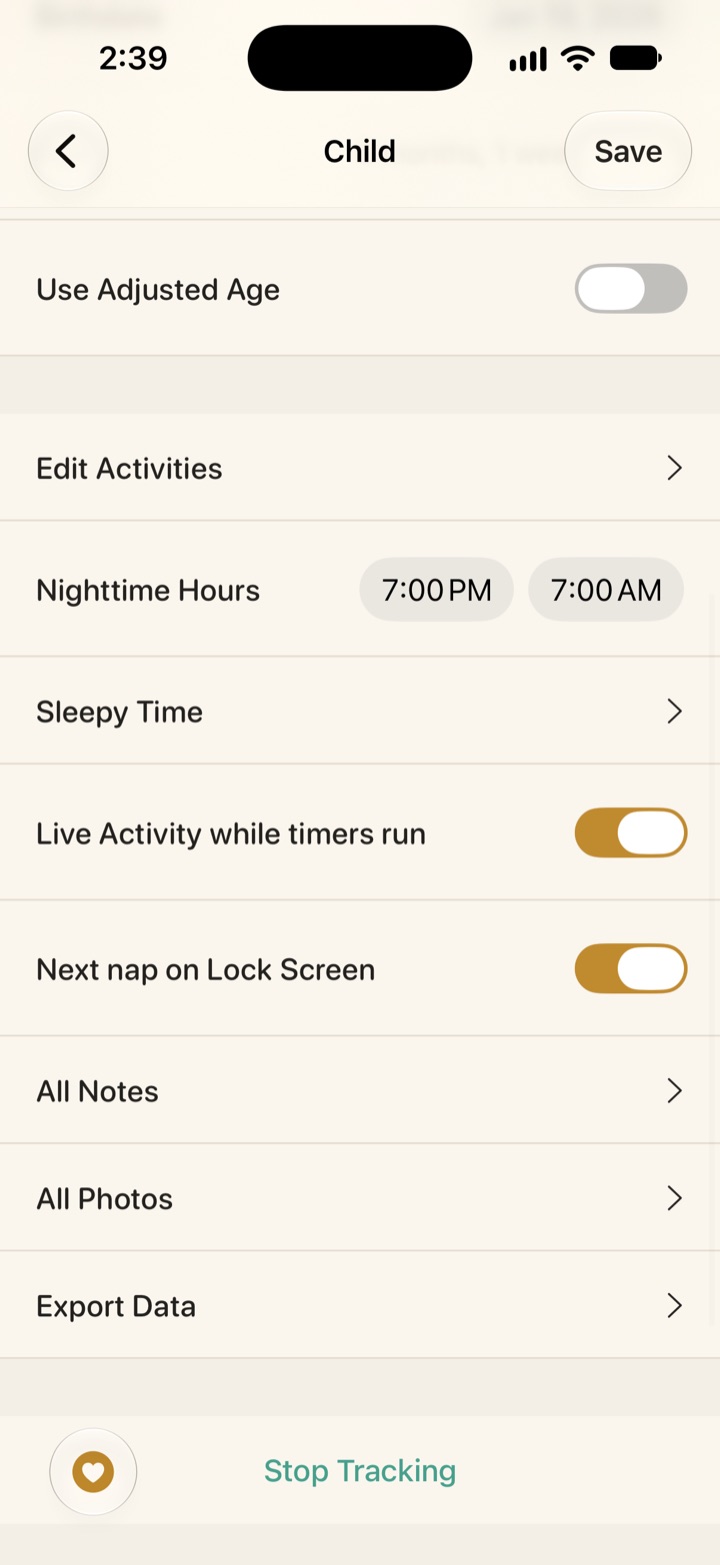
Vivi Baby pricing has the terms. Vivi can export too: each child’s settings has an Export Data row that writes a CSV of the whole history, so you can leave Vivi the same way.
Moving from other apps
The steps are similar for other trackers, though each app exports differently.
- From Huckleberry, see how to export your Huckleberry data.
- From Nara Baby, see how to export Nara Baby data and switch.
- Still choosing? Our list of Baby Tracker alternatives compares six iPhone apps, Vivi among them.
Frequently asked questions
Can I export my Baby Tracker data to CSV?
Yes. Nighp's FAQ lists CSV exporting among the features of the paid full version. The option is in Baby Tracker's Settings, and the export comes out as a zip file of CSVs, usually named csv.zip.
Is CSV export free in Baby Tracker?
No, according to Nighp's FAQ, which lists CSV exporting as part of the full version purchase. The US App Store listing now sells Remove Ads at $4.99 and Baby Tracker Plus at $5.99 per month or $49.99 per year, and it does not say which one includes CSV export, so check in the app before you pay.
Is a Baby Tracker backup the same as a CSV export?
No. Backups and Data Clone files are made for Baby Tracker to restore on a device, and restoring one replaces all the data on that device. Only the CSV export is a set of plain tables you can open in a spreadsheet or import into another app.
Where does Baby Tracker store my backups?
In your own iCloud or Dropbox account, according to Nighp's FAQ. With Auto Backup Daily turned on, the app keeps the backups from the last 7 days.
Can Vivi Baby import my Baby Tracker data?
Yes, from the CSV export. In Vivi Baby 1.0.1 or later, open Preferences, choose Import from Baby Tracker and pick the csv.zip file. Vivi shows a preview first, imports one baby at a time and does not read .btbk backups or Data Clone files.
Will importing the same Baby Tracker file twice create duplicates in Vivi?
No. Importing the same file again does not create copies, and entries that look like ones already in Vivi are skipped by default. You can import a newer export later to catch up.
Sources
- Baby Tracker FAQ (Nighp): backup, sync, Data Clone, full version
- Baby Tracker FAQ, second page (Nighp)
- Baby Tracker - Newborn Log on the US App Store
- Baby Tracker (Nighp)
Details about other apps come from their own websites and app listings, and they change often. Found a mistake? Write to support@vivibaby.app and we will fix it.