
Baby Tracker Alternatives for iPhone
The best Baby Tracker alternative on iPhone depends on what made you look. If you want the same kind of app with Apple Watch and widgets, Nara Baby, Glow Baby and Baby Connect are close. If you want nap predictions, Huckleberry has them. If you want your records in your own iCloud Drive with no account, Vivi Baby is built for that.
This page covers “Baby Tracker - Newborn Log” by Nighp, the app many parents search for as “Baby Tracker”. It does not cover other apps that only share the name. All outside facts were checked on 30 September 2026. App Store prices change, so treat them as a snapshot.
What to check before you switch
Switching takes time you may not have. Check these first.
- Get your history out first. Nighp’s FAQ says CSV export is a premium feature. It does not list the steps, so look in the app’s settings or use Settings > Email Support. The FAQ says the app keeps backups from the last 7 days when Auto Backup Daily is on, and it can make a Data Clone file to send by AirDrop or email. A backup only restores into the same app. A CSV is what another app can read.
- Decide if you log with your wrist at 3 a.m. The Nighp listing shows watchOS 10.0 or later. Check the Watch requirement of any new app against your watch.
- Widgets and Live Activities matter if you use them. The Nighp listing shows Home Screen and Lock Screen widgets and Live Activities. Check that the new app has them.
- Check how the new app syncs. Nighp’s FAQ says it syncs through iCloud or Dropbox. Some apps sync through their own servers and need an account. Vivi keeps entries in your iCloud Drive.
- Ask who else logs: a partner, a grandparent, a nanny. Check what they need to install and whether they need to pay.
- Check your devices. Nighp runs on iPhone, iPad, Apple Watch and Apple Vision. Vivi Baby runs on iPhone and Apple Watch only. If you use an iPad, that matters.
- The Canadian listing for Nighp shows Remove Ads at $6.99, Plus Monthly at $7.99 and Plus Yearly at $69.99. Compare that with the new app’s paid tier, not only its free tier.
Six iPhone alternatives
Vivi Baby
Vivi Baby is our app, so read this entry with that in mind. It runs on iPhone (iOS 18 or later) and Apple Watch (watchOS 26 or later). There is no iPad or Android version.
- Logging is free: feeds, sleep, diapers, pumping, growth, health, vaccines, teeth, firsts, journal and routines, plus History, Trends, search, Apple Watch, widgets, Live Activities, Siri, import and export.
- You invite caregivers to the shared family folder. They can see, add, edit and delete everything in it. Running timers show on other devices.
- Entries are Markdown files, plus photos, in your family’s own iCloud Drive. There is no account, no ads and no tracking. A small relay run by Vivi carries anonymous timer state, and encrypted Live Activity tokens, so a running timer shows on other devices. Your baby’s log is not uploaded to Vivi’s servers.
- Sleepy Time (a next nap and bedtime estimate), Insights and Checkups need Vivi Plus at $4.99 per month or $44.99 per year. It starts with a 14-day free trial that begins only when you open a Plus feature and choose it. One subscription covers your Apple Family Sharing group. See Vivi pricing. Sleepy Time uses rules that run on the device. It is an estimate, not a promise.
- It is new, and it has no iPad app, no Android app and no community section. It can import your Baby Tracker CSV export, so you don’t start from zero.
For the full side-by-side, read Vivi Baby vs Baby Tracker.
Huckleberry
Huckleberry is best known for SweetSpot, which predicts nap and sleep times. The App Store listing shows a free tier with basic tracking. Plus ($11.99 per month) adds SweetSpot, a schedule creator and insights. Premium ($14.99 per month) adds Berry, an AI chat, and custom sleep plans. Its pricing page also shows cheaper rates billed yearly. It needs iOS 16 or later and watchOS 10.2 or later.
Choose it if sleep coaching is why you are switching. Huckleberry can email you a CSV of each child’s data from inside the app. See Vivi Baby vs Huckleberry or the Huckleberry alternatives page.
Nara Baby
Nara Baby tracks feeding, pumping, diapers, sleep, growth, milestones and medical records. It also has pregnancy and postpartum sections. The listing shows Apple Watch and Siri support, Live Activities, widgets, and sharing with more than one caregiver. It needs iOS 16.1 or later. It is no longer free, though. Nara’s FAQ lists $9.99 a month or $99.99 for a lifetime plan, and one subscription covers every caregiver you invite. Once the 7-day free trial ends you need a plan to add entries, and without one you can only view and export. The App Store listing shows in-app purchases from $9.99 to $129.99, which doesn’t match the FAQ, so check the price at checkout.
Nara’s FAQ gives an export path: on the Activity screen, tap your child’s avatar, then Export Data. Invited caregivers get an email to create an account, so Nara uses accounts. See Vivi Baby vs Nara Baby.
Glow Baby
Glow Baby tracks feeds, diapers, sleep, pumping and milestones. The listing shows an Apple Watch app and private messaging with other users as a Premium feature. It requires iOS 16 or later. It sells Premium subscriptions and a lifetime option, with a 7-day trial on the annual plan. Our readings of the listing gave different prices, so check the price on the App Store.
Glow suits parents who want to meet other parents and like its insights. Its privacy label lists health data, location, contacts and usage data linked to you. If that matters to you, read the label before you install.
Baby Connect
Baby Connect tracks feeds, nursing, naps, diapers, milestones, pumping, medicines, vaccines, temperature and growth. It syncs across devices. The listing shows iPad, Apple Watch and Apple Vision, and says it works in web browsers. That web access is a real advantage over Vivi. It needs iOS 15 or later.
It has a 7-day free trial, then a Family plan at $6.99 per month or $49.99 per year for up to 5 children. Its privacy label lists data linked to you, including purchases, contact info, user content and usage. The listing does not mention export. We could not confirm from official pages how Baby Connect exports data.
Talli
Talli’s listing describes feeding, diaper and sleep tracking with buttons you can set up yourself. It has an optional one-touch logging device, Alexa support and CSV export. You can invite family, caregivers and pediatricians. Premium costs $3.99 per month or $39.99 per year.
The listing names iPhone, iPad, iPod touch and Apple Vision. It does not list Apple Watch. If you want a Watch app, check with Talli first. Read Vivi Baby vs Talli for the details.
Quick comparison
| App | Apple Watch | Sharing | Paid tier shown in the listing | CSV export |
|---|---|---|---|---|
| Baby Tracker (Nighp) | Yes | iCloud or Dropbox sync | $7.99 per month or $69.99 per year (Canadian listing) | Yes, premium |
| Vivi Baby | Yes | Shared iCloud folder | Vivi Plus, $4.99 per month or $44.99 per year | Yes, free |
| Huckleberry | Yes | Multi-caregiver | $11.99 or $14.99 per month | CSV by email, one per child |
| Nara Baby | Yes | One subscription covers invited caregivers | $9.99 to $129.99 | Yes |
| Glow Baby | Yes | Multi-user access | Check the listing | Not confirmed |
| Baby Connect | Yes | Sync between devices | $6.99 per month or $49.99 per year | Not confirmed |
| Talli | Not listed | Invite family and caregivers | $3.99 per month or $39.99 per year | Yes |
How to move your history
For the full steps, and why a backup isn’t the same as a CSV, see how to export your Baby Tracker data.
How much history you can bring depends on two things.
- Your old app must export a file. In Baby Tracker, the CSV export is Settings > Export Data to CSV, and it is part of the paid version. It makes a file named csv.zip. Save it somewhere safe.
- The new app must read that file. Vivi Baby reads Baby Tracker, Nara Baby and Huckleberry CSV files. For other apps, ask their support whether they read a Baby Tracker file before you count on it.
Moving your Baby Tracker history to Vivi
- Export from Baby Tracker with Settings > Export Data to CSV.
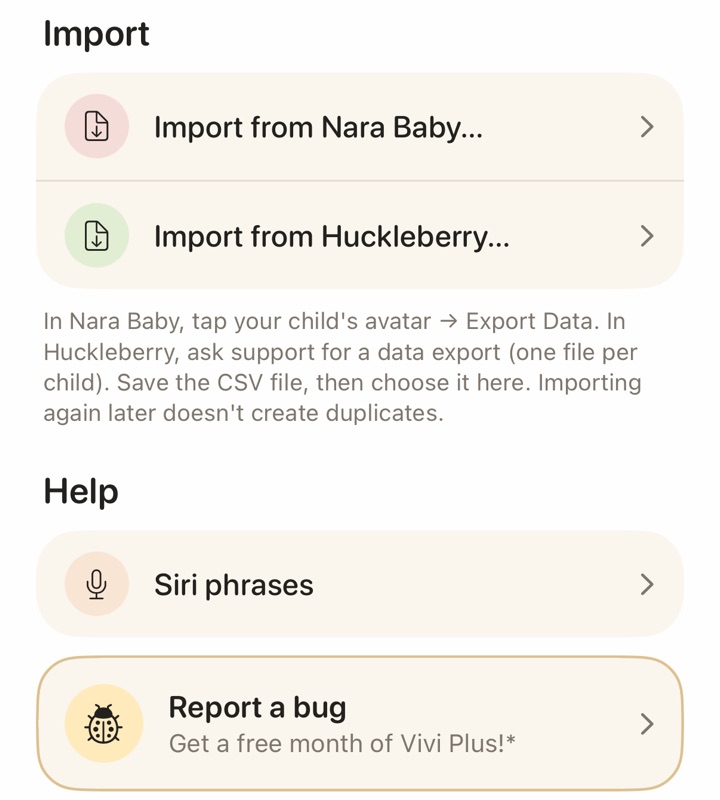
- In Vivi Baby, open Preferences, find the Import section and choose Import from Baby Tracker. First-time setup offers the same option on its import step.
- Pick the csv.zip file. Vivi also accepts the folder Files makes when you unzip it, or a single CSV.
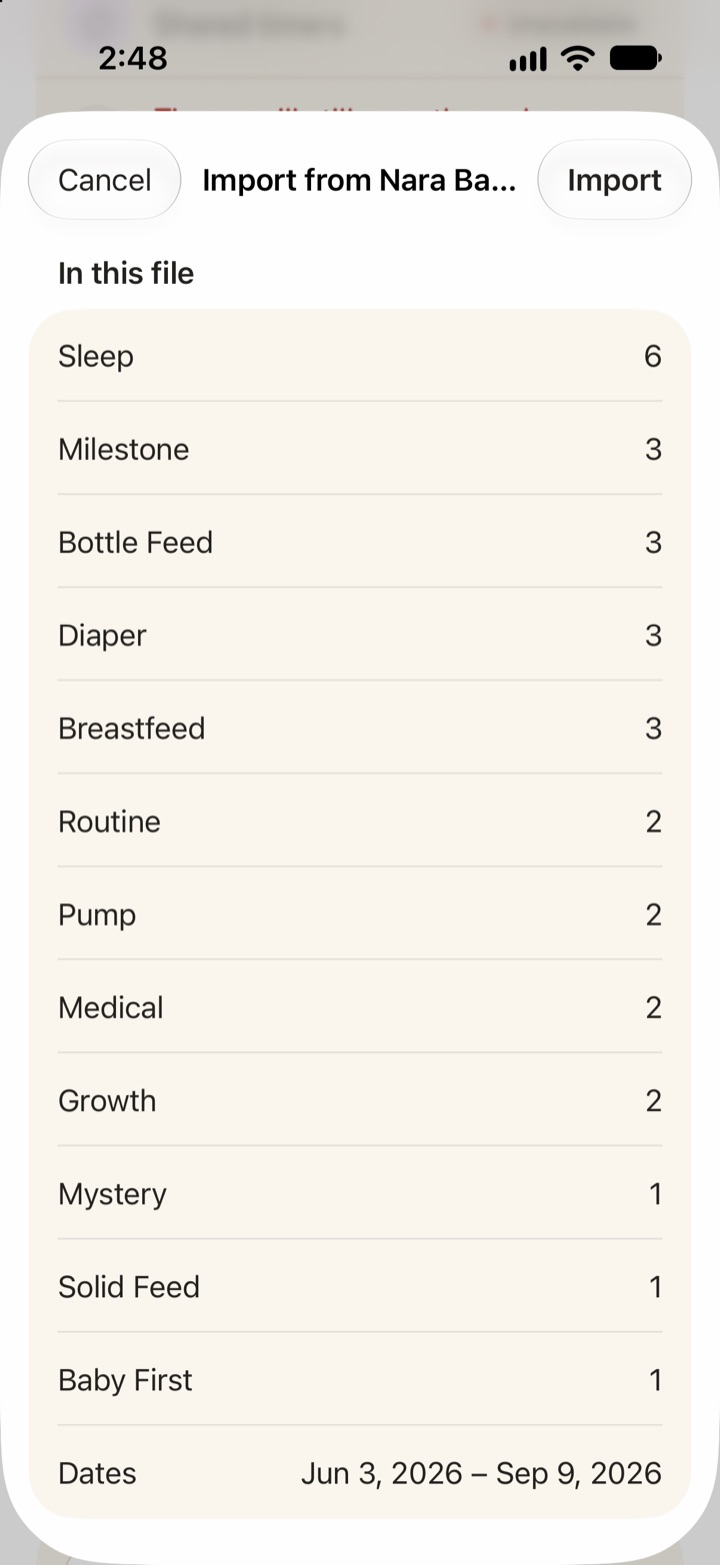
- Check the preview. If the export holds several babies, pick one. Import each child on its own. Pick the time zone, because the file has none. Pumping rows have no baby in the file, so you pick the caregiver they belong to. Vivi works out whether dates are day first or month first, and asks only when the dates cannot tell.
- Import. Nothing is saved before this step.
- Check History. Bath, milestones, vaccines, solids and journal entries are flagged there for checking.
Vivi brings in sleep, breastfeeding with sides, bottles of expressed milk or formula, pumping, diapers (wet, mixed, dirty and dry), medication, other activities as routines, growth and temperature, plus the flagged types above. Columns Vivi has no field for are kept in the entry’s note, so nothing is lost. Importing the same file again does not create duplicates, and likely duplicates of entries already in Vivi are skipped by default. A copy of the imported files is kept in your family folder under imports/nighp. Vivi reads only the CSV export. It does not read Baby Tracker’s backup files (.btbk) or Data Clone files.
If you come from Nara or Huckleberry, Vivi can import that too:
- For Nara Baby, tap your child’s avatar in Nara and choose Export Data. In Vivi, choose Import from Nara Baby and pick the file. Vivi brings in children and caregiver names, sleep, feeds, pumping, diapers, routines, solids, growth, medical, vaccines, milestones, firsts, journal, teeth and checkups. Night hours and enabled activities are not in the Nara file, so you set them in the preview. Rows of a type it does not know are listed as skipped.
- For Huckleberry, a file holds one child, so import each child on its own. It has no caregiver names, so you choose who owns the entries. It brings in sleep, feeds, solids, diapers, pumping, growth, medicine, temperature, milestones, potty and activities such as tummy time and bath. Diaper size, sleep place and potty result have no field in Vivi, so they go into the entry’s note. Rows of an unknown type are listed as skipped.
- Repeating an import is safe. Vivi shows a preview before it writes. It flags likely duplicates and rows dated before your child’s birth. Importing a newer export later does not duplicate the entries.
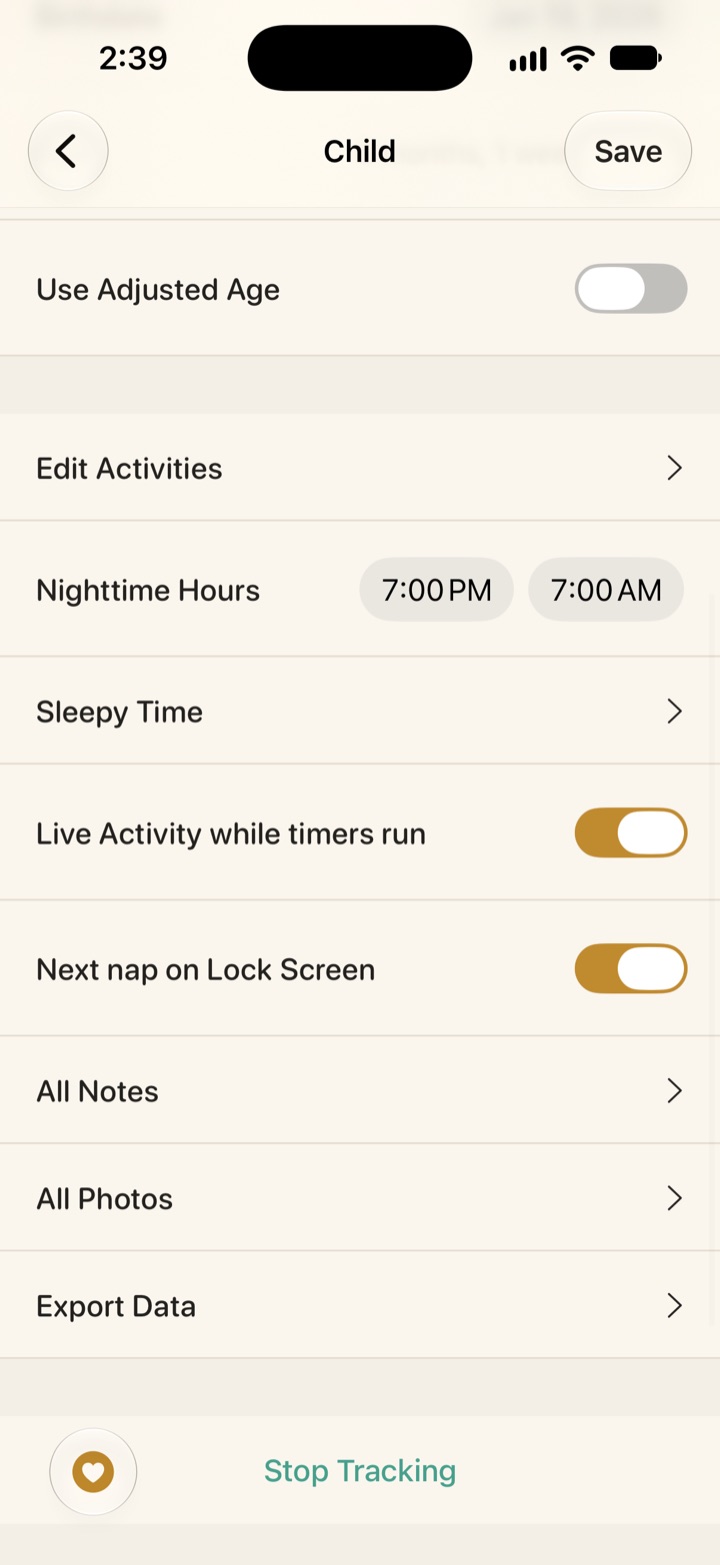
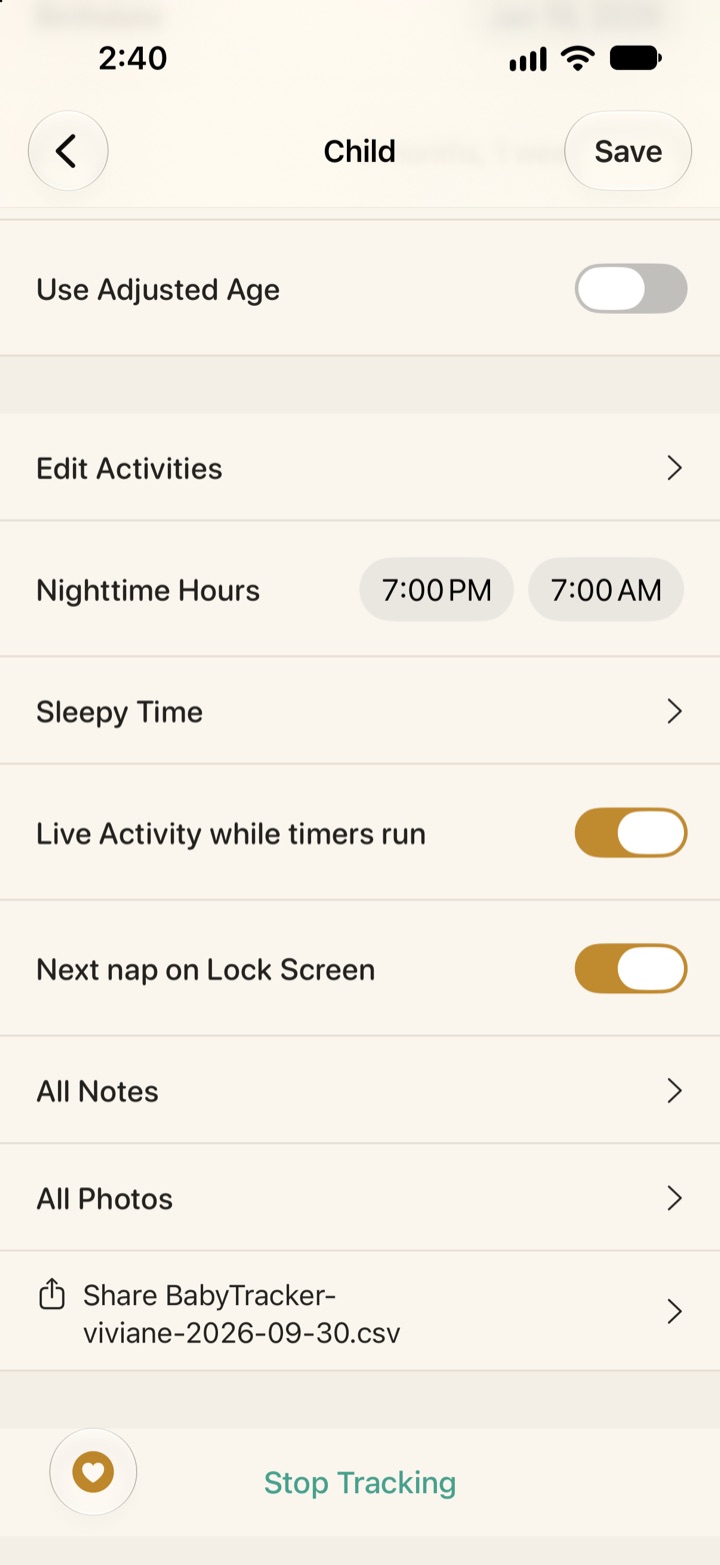
Vivi also exports. In Vivi, open the child’s settings and choose Export Data to get a CSV of the full history. It uses the Nara column layout with extra columns, so it opens in a spreadsheet and re-imports into Vivi.
Apple Watch and widgets
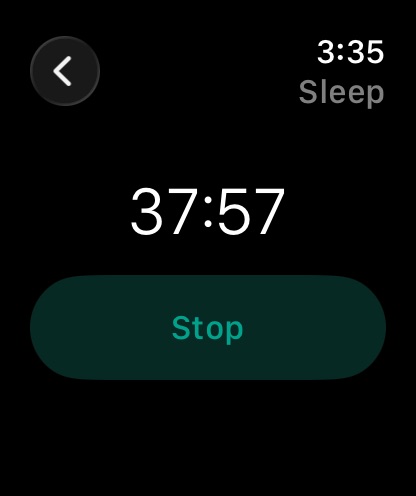
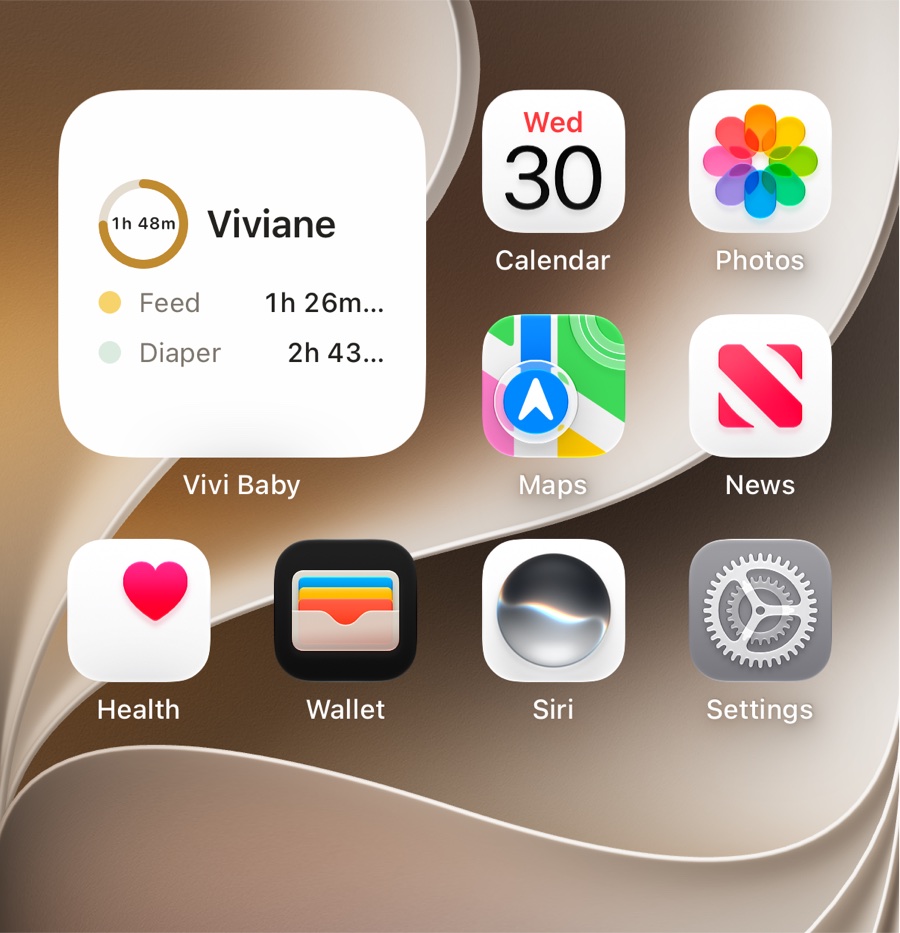
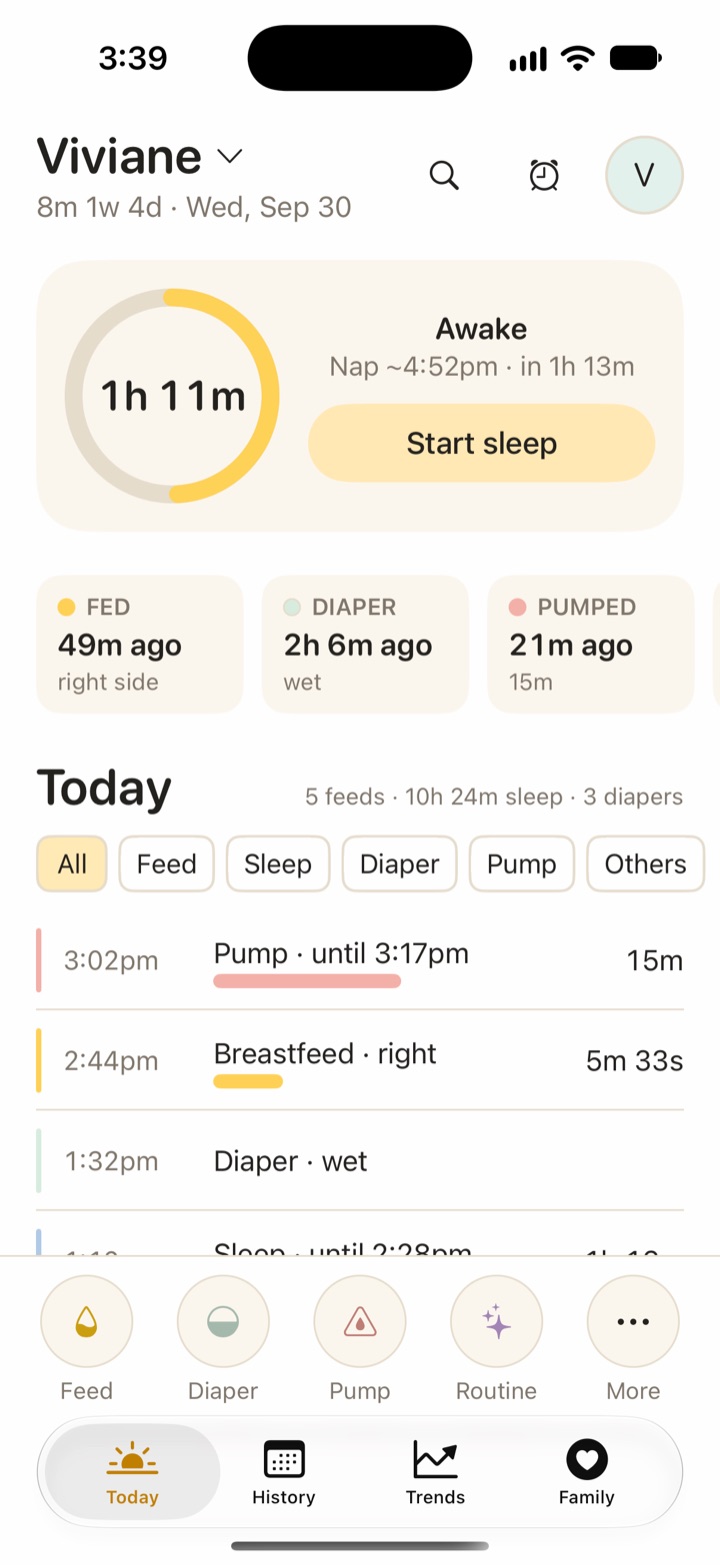
Most apps on this page have an Apple Watch app, so check how it works, not only whether it exists. In Vivi, the Watch app has Stop and Start buttons for the sleep timer and a watch-face complication that opens the app. Widgets in Vivi show time since the last feed, sleep and diaper change, and a sleep timer you can start or stop. Live Activities show running timers and the next sleep estimate. For a longer look, read Vivi on Apple Watch and Vivi widgets.
Screenshots
Who should choose which app
- Stay with Baby Tracker (Nighp) if you use an iPad, Apple Vision or Dropbox sync, and the app works for you. Moving costs time, though Vivi can import your Nighp history if you do switch.
- Choose Vivi Baby if you want free logging, no account, records in your own iCloud Drive, and a Watch and widgets. Plus is optional. Accept that it is new and iPhone-only.
- Choose Huckleberry if better naps are your goal and you want sleep plans. Plus and Premium cost more per month than Nara’s monthly plan.
- Choose Nara Baby if you want pregnancy and postpartum tracking and one subscription for every caregiver you invite, and you’re fine paying once the 7-day free trial ends.
- Choose Glow Baby if you want to message other parents, and you accept its data collection.
- Choose Baby Connect if you need web access or an iPad app.
- Choose Talli if you want a physical button for night logging and do not need a Watch app.
For Vivi Baby costs, see pricing. To try it, get Vivi Baby.
Frequently asked questions
Can I export my data from Baby Tracker - Newborn Log?
Yes. Nighp's FAQ says CSV export exists and calls it a premium feature. It does not give the steps, so check Settings in the app or use Settings > Email Support. The app also makes daily backups and a Data Clone file you can send by AirDrop or email.
Can Vivi Baby import my Baby Tracker (Nighp) history?
Yes. Export from Baby Tracker with Settings > Export Data to CSV, which is in its paid version. Then choose Import from Baby Tracker in Vivi's Preferences and pick the csv.zip file. Vivi shows a preview first and imports one baby at a time.
Which baby tracker apps work on Apple Watch?
Baby Tracker - Newborn Log, Huckleberry, Nara Baby, Glow Baby, Baby Connect and Vivi Baby all list an Apple Watch app or Apple Watch support. Talli's App Store listing does not list Apple Watch.
Is there a free baby tracker for iPhone?
Most of the apps here are free to download with optional purchases. Logging is free in Vivi Baby. Huckleberry has a free tier. Baby Connect ends its free trial after 7 days. Check each listing, because prices change.
Do I lose my data if I switch baby trackers?
Not if you export first. Keep the CSV or backup file even after you move. Do not delete the old app or cancel the subscription until you have checked that the new app shows your history.
Sources
- Huckleberry help: Can I export my data from the app?
- Baby Tracker - Newborn Log (App Store, Canada)
- Baby Tracker FAQ (Nighp)
- Huckleberry: Baby Tracker (App Store)
- Huckleberry membership pricing
- Nara Baby & Pregnancy Tracker (App Store, Canada)
- Nara Baby app FAQs
- Glow Baby Tracker & Growth App (App Store)
- Baby Connect: Baby Tracker (App Store)
- Talli Baby Tracker Newborn Log (App Store)
Details about other apps come from their own websites and app listings, and they change often. Found a mistake? Write to support@vivibaby.app and we will fix it.